Transcribing is the easy part. The work is restructuring the transcript around ideas instead of chronology. Here is the process that produces a publishable article.
The Short Version
Transcribe the video, then restructure the transcript into an article organized around ideas instead of chronology. Add a heading hierarchy, write a real introduction and conclusion, embed the original video, and edit for your own voice. With the right tool this takes about 15 minutes instead of the three hours it takes to write the same post from scratch.
Why Bother
A video and a blog post reach different people through different doors. Someone who will not watch a 15 minute video will read a skimmable article on the same subject in four minutes. And search engines cannot parse what you said in a video, only what is written about it. A blog post makes the ideas in your video findable in text search, where they previously did not exist.
There is a compounding benefit too. Once the transcript exists, the blog post is not the only thing you can generate from it. Social posts, chapters, and show notes all come from the same source.
What You Need
- The video file, or the audio extracted from it. Clean audio matters far more than video quality.
- A transcription tool that produces timestamps, not just a block of text.
- Somewhere to publish that lets you control headings and meta description.
Step 1: Get the Transcript
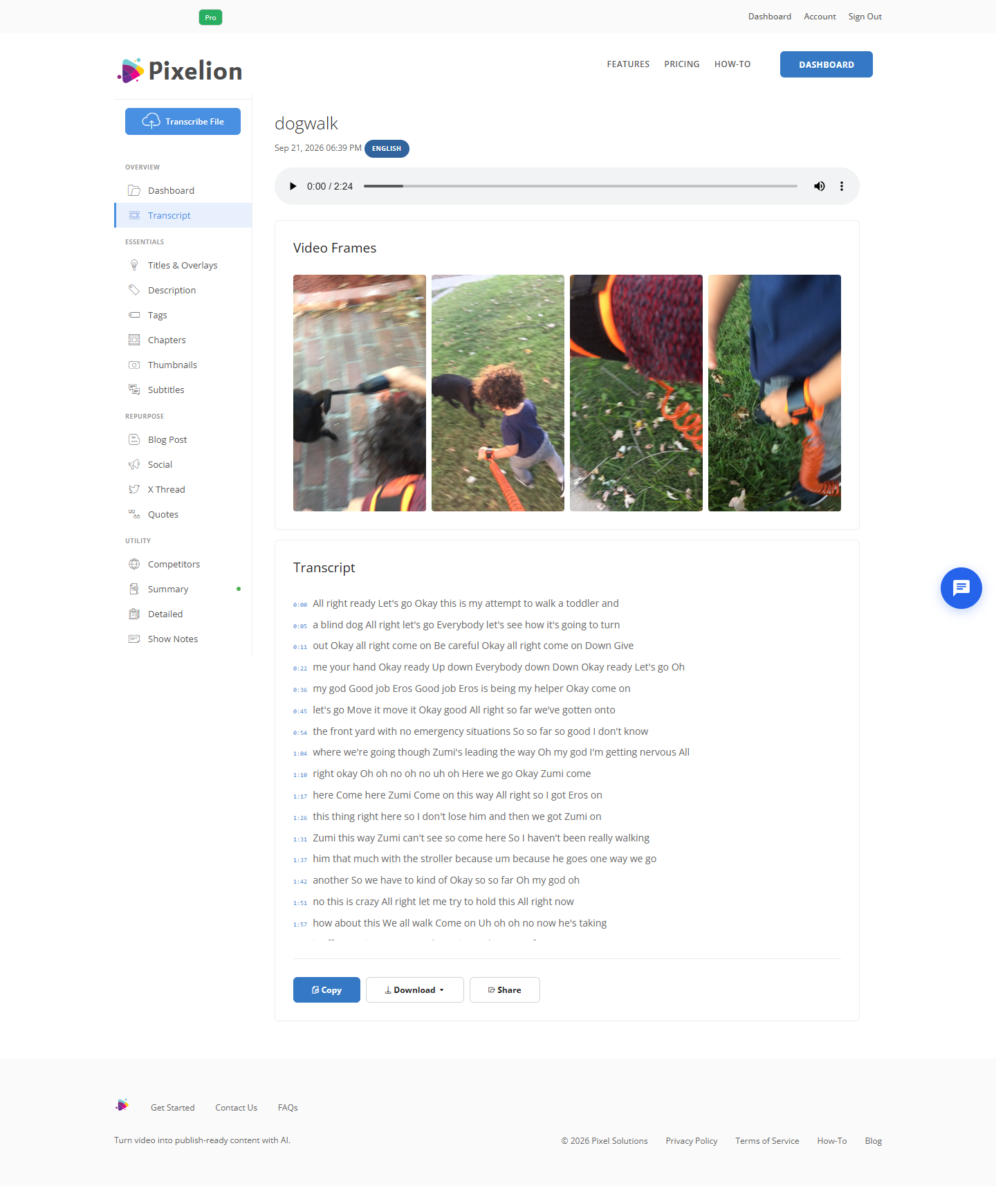
Upload the video and transcribe it. You want a timestamped transcript rather than a plain text dump, because timestamps let you link back to specific moments in the video from inside the article, which is a genuinely useful thing to do for tutorial content.

Once processing finishes you get the transcript with clickable timestamps, playback, and export options.
Accuracy targets: 95 percent or better on clear single-speaker audio. If your video has crosstalk, background music, or heavy accents, expect to correct proper nouns by hand.
If you are starting from a video already on YouTube and you own it, download your own file rather than scraping the auto-generated captions. YouTube's automatic captions have no punctuation and no paragraph breaks, which makes everything after this step harder.
Step 2: Restructure, Do Not Clean
This is the step people get wrong. A cleaned-up transcript is still a transcript. It follows the order you happened to say things in, includes the tangent you went on at minute nine, and opens with whatever you used as a verbal warm-up.
An article has to be reorganized around ideas:
- Group related points together even if you said them 10 minutes apart.
- Cut the verbal warm-up entirely and write a real opening that states what the reader will get.
- Cut filler, false starts, and repeated points.
- Add headings that describe the content of each section, not the timeline of the video.
- Write a conclusion, because you probably ended the video with a subscribe request rather than a summary.
The common approach is to paste the transcript into ChatGPT with a prompt asking it to rewrite the transcript as a blog post. This works. The drawback is that it is a separate manual step for every video, and the output quality swings depending on how you phrase the prompt that day.
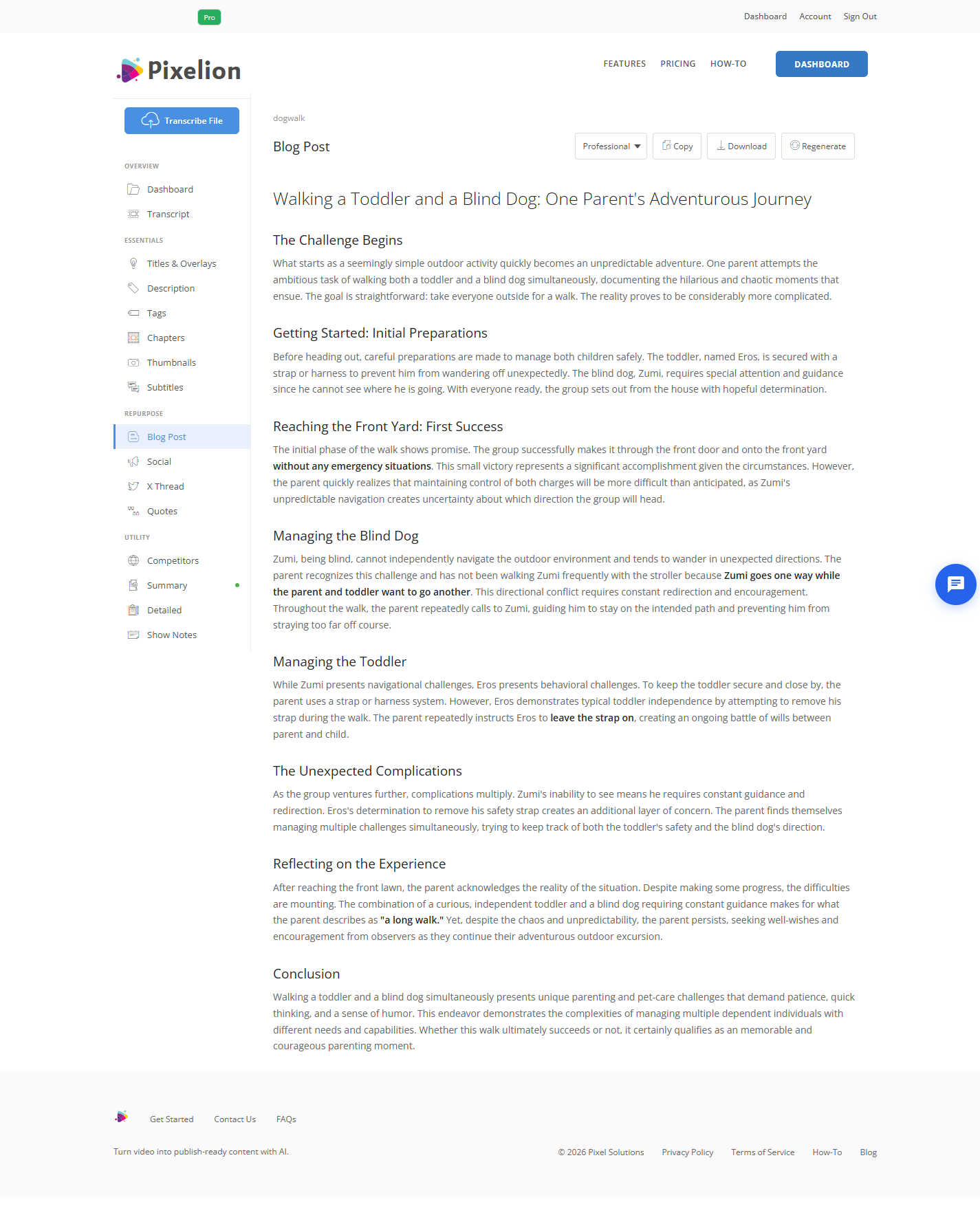
Pixelion generates the blog post directly from the transcript in the same pass as the transcription, so there is no copying between tools and no prompt to maintain.
Step 3: Fix What the Machine Cannot Know
Every AI generated draft has the same three weaknesses. Check them in this order.
Proper nouns. Product names, company names, people's names, and technical terms are where transcription errors concentrate. These are also the most damaging errors, because they are the words your audience will notice.
Numbers and claims. If you cited a statistic in the video, verify it survived intact into the draft. A transposed figure in a published article is worse than no figure.
Your voice. The draft will be competent and slightly generic. Add the opinion you held back, the caveat you thought of afterwards, and the one sentence that sounds like you and nobody else.
Step 4: Add What the Video Cannot
The article is not a transcript of the video, it is a better version of the video for readers. Use the format:
- Embed the original video near the top. Readers who would rather watch can, and the page keeps them either way.
- Add screenshots from the video for anything you demonstrated visually. Tutorial content converts especially well here, because the steps are already sequential.
- Add internal links to your related posts. The video could not link to anything.
- Write the meta description yourself, or generate one. Do not let the CMS truncate your first paragraph.
- Update the video description on YouTube to link back to the post.
Step 5: Publish and Cross-Link
Publish the post, then close the loop. Link from the video description to the article and from the article to the video. Both assets now feed each other, and the written version starts accumulating search impressions the video never could.
What Good Output Looks Like
A 20 minute talking-head video should produce roughly 1,200 to 1,800 words. If your draft is 4,000 words, it was not restructured, it was transcribed. If it is 400 words, it was summarized rather than converted.
The finished post should have a clear introduction that is not the video's cold open, four to seven H2 sections, and a conclusion. A reader who never watches the video should get the full argument.
Common Mistakes
Publishing the transcript. The most common failure. It reads like speech on a page, because it is.
Keeping the video's chronology. Videos are linear because they have to be. Articles are not.
Leaving spoken-language tics in. "So, basically", "you know", "let's dive in", and "as I mentioned earlier" all need to go. "As I mentioned earlier" is particularly bad, because in a restructured article the thing may now appear later.
Skipping the edit pass. Unedited AI output is detectable, and it undermines the authority the video earned.
Forgetting the meta description. Free to write, and it decides your click-through rate.
Doing It in One Pass
Pixelion transcribes the video and generates the blog post from one upload. The same transcript also produces social posts, YouTube chapters, show notes, summaries, SEO metadata, and thumbnails, so the blog post is one output of several rather than a separate project.
Pixelion does not edit video or cut clips. It produces the written and visual assets around the video.
Frequently Asked Questions
Can I turn a YouTube video into a blog post automatically? The transcription and the first draft can be fully automated. The editing pass cannot, and skipping it is visible in the published result. Expect 10 to 15 minutes of human work per post.
Does turning my video into a blog post hurt my video's SEO? No. They target different queries and different surfaces. Linking them together helps both.
How long should the blog post be? Roughly 60 to 90 words of article per minute of video, for a normal speaking pace. A 20 minute video lands around 1,200 to 1,800 words.
Do I need the video file, or is a YouTube link enough? Either works if the tool accepts URLs. Uploading the original file generally produces better transcription accuracy than working from a compressed stream.
What about videos with multiple speakers? Use a transcript with speaker labels, and write the article in your own voice rather than as a dialogue. Quote the other speakers directly where their exact words matter.